Move characters between devices and back them up
Borealis has no account and no cloud. Your characters and content are files on your device, and you move them yourself: straight to another device on the same Wi-Fi, or as a single .borealis file you can copy anywhere.
Send to another device on the same Wi-Fi
-
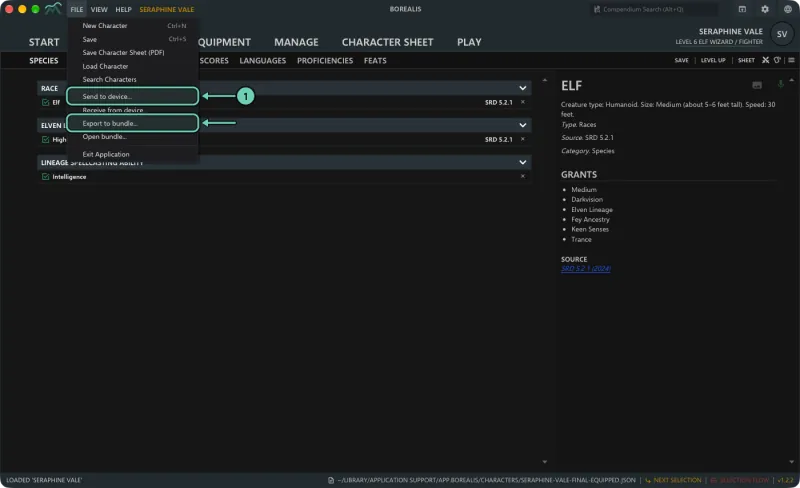
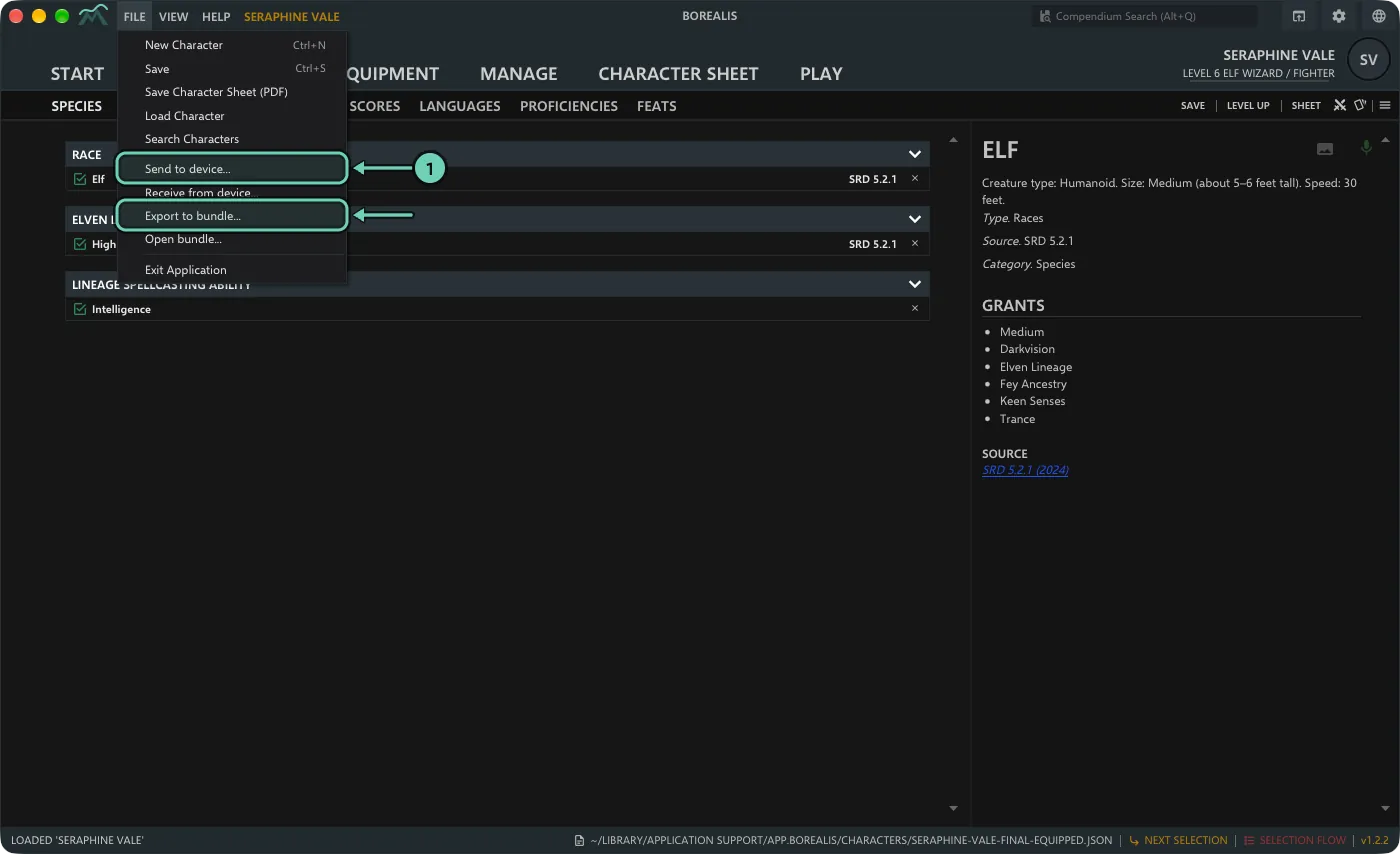
On the device that has the characters, open File > Send to device... On a phone, tap More > Send to device.
-
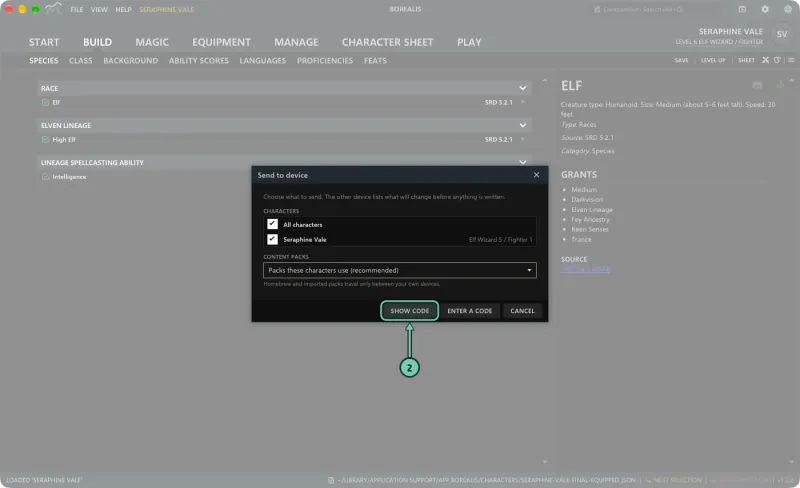
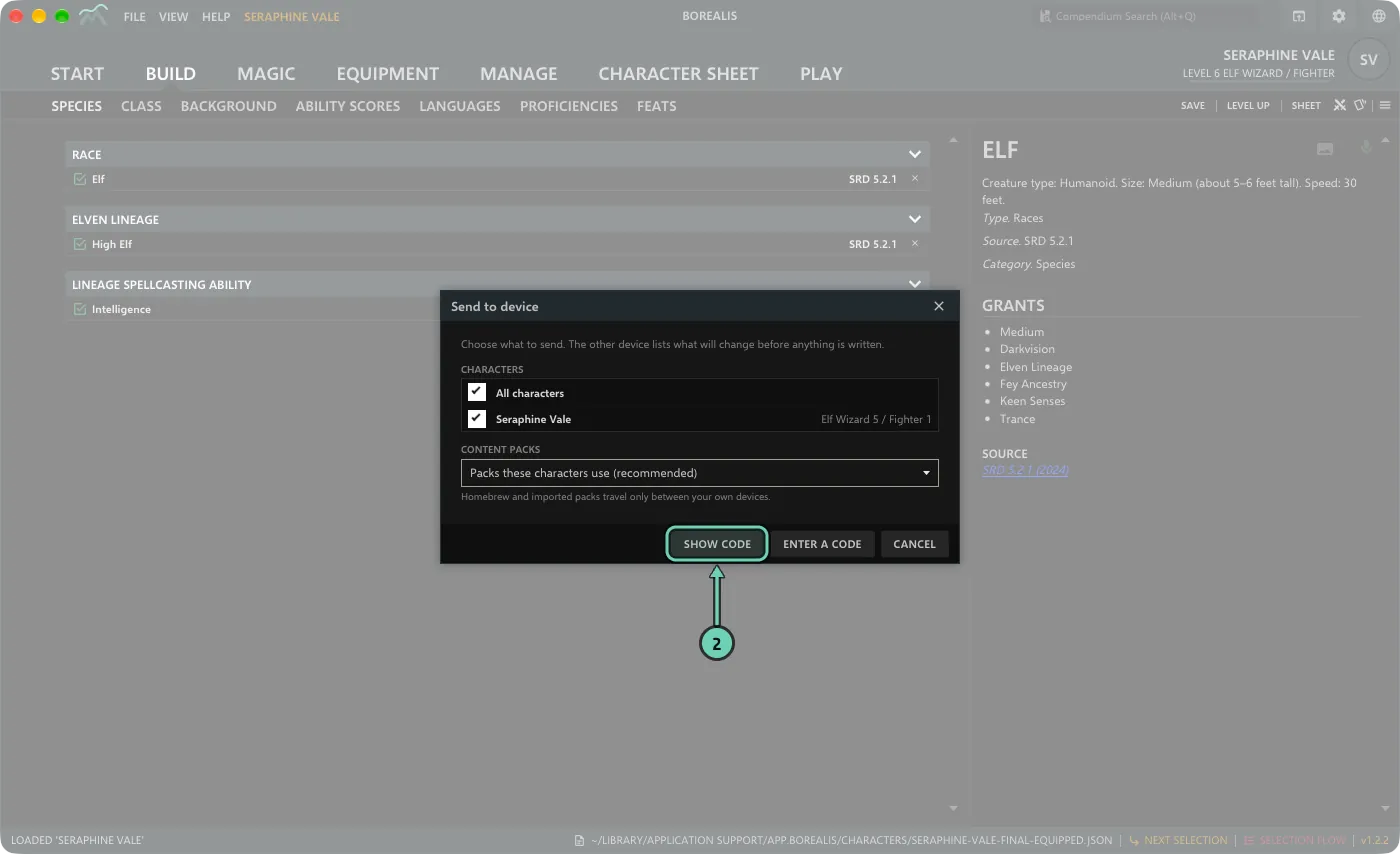
Tick the characters to send, or All characters. Under Content packs, keep Packs these characters use (recommended), or choose All my content packs or No content packs. Click Show code. Borealis shows a QR code and a short code.
- On the other device: on a phone, open Borealis, choose More > Receive from device and scan the QR code. On another computer, choose File > Receive from device..., Enter a code, and type the code.
- The receiving device lists what will change. Check it and click Accept.
Both devices must be on the same Wi-Fi, and the sending device listens only while its window is open. A code works once and expires after a few minutes. If both devices have the same character, the most recently edited copy wins; the replaced copy stays in the sync trash for 30 days. Devices you have paired are listed in View > Borealis Settings > Devices.
Use a .borealis file
A .borealis file holds characters and, if you want, the content packs they use. You can email it, put it on a USB stick or in a cloud folder you already use.
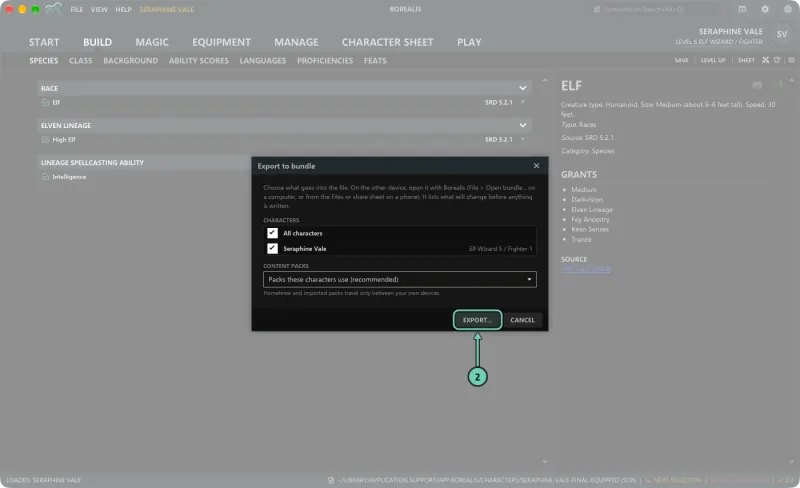
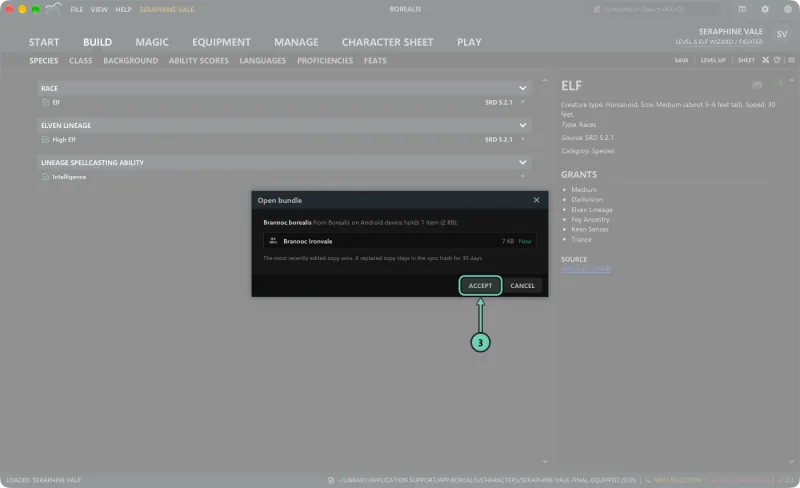
- Open File > Export to bundle... On a phone, tap More > Share as a file.
-
Tick the characters, choose the content packs as above, and click Export... to save the file (on a phone, Share).
-
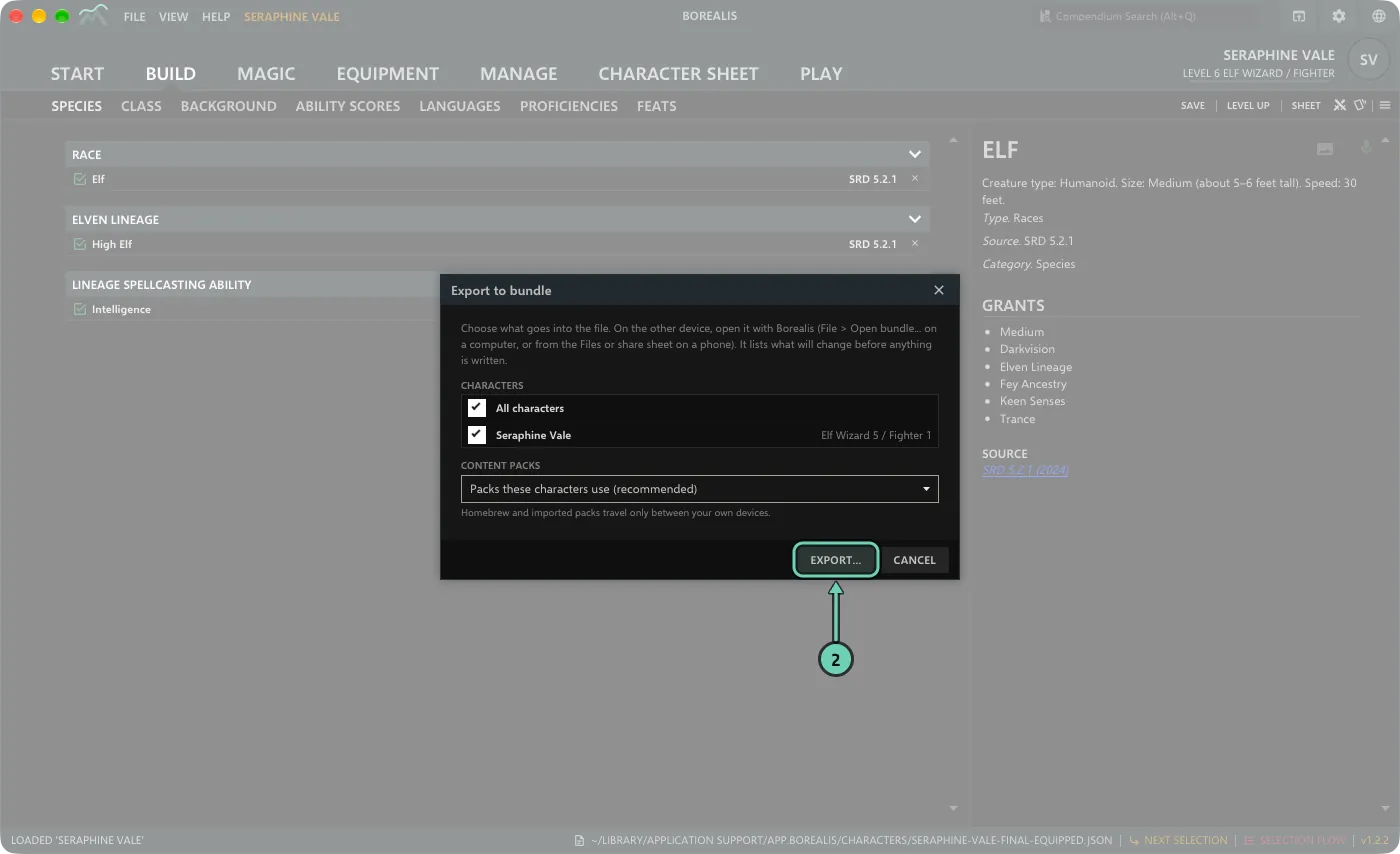
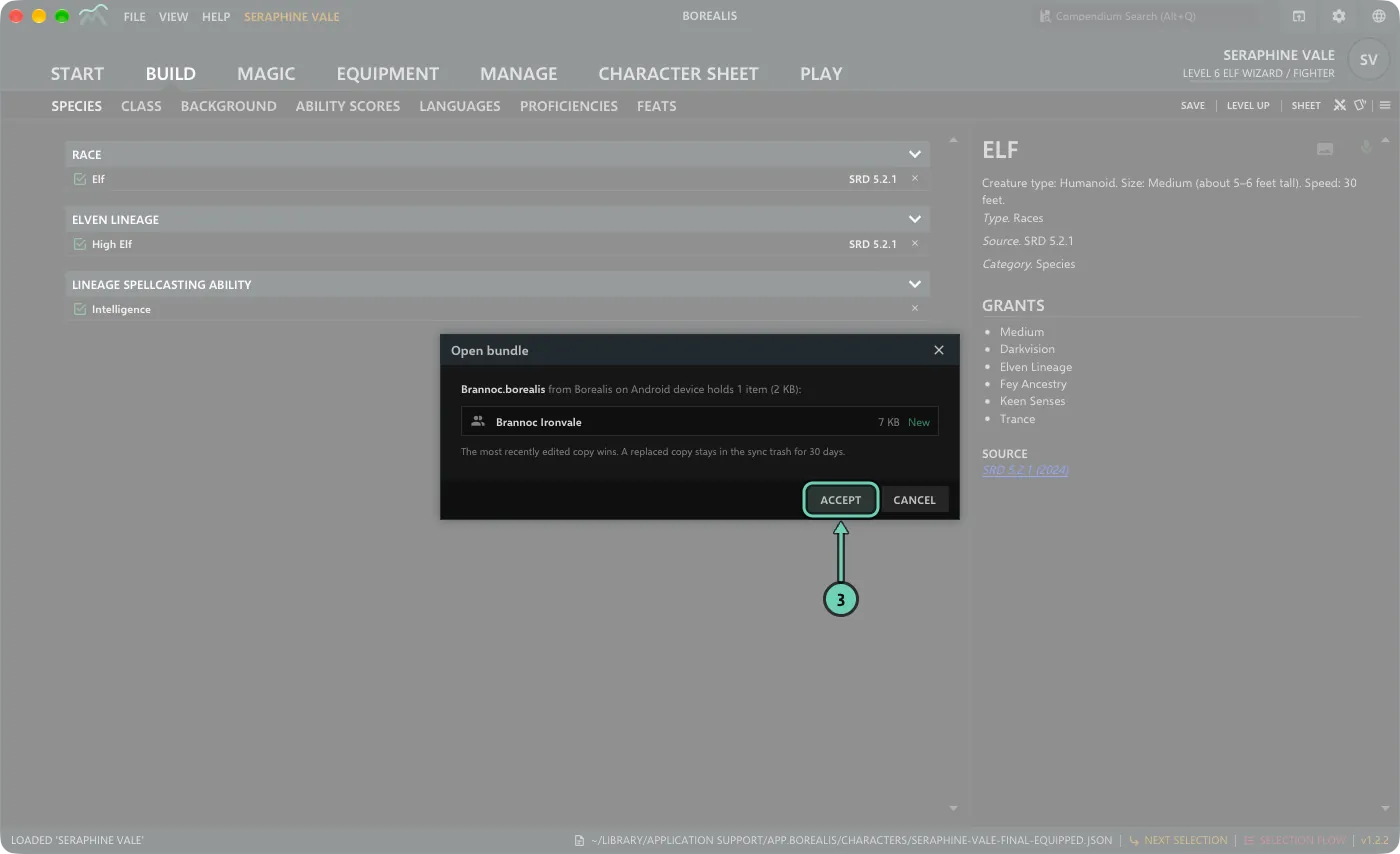
On the other device, open the file with Borealis: File > Open bundle... on a computer, or open it from Files or the share sheet on a phone. Borealis lists what the file will add or change. Click Accept.
Back up
Export a bundle with All characters and All my content packs, and keep the file somewhere safe. To restore, open it with File > Open bundle... Installing a new version of Borealis over an old one keeps your characters, content and settings.
Where your files are
| System | Borealis data folder |
|---|---|
| macOS | ~/Library/Application Support/app.borealis |
| Windows | %APPDATA%\app.borealis |
| Linux | ~/.local/share/app.borealis |
Characters are in its characters folder and imported content in library. You can keep characters in another folder with View > Application Settings > Data files > Documents directory; characters saved before the change stay where they were. On phones the files sit inside the app, so use a bundle or Send to device.